


Kitchen Design App
3.93.00 Reviews
App Specs
- Version
- 1.2.14
- Updated On
- License
- Free
- Downloads
- 10,000+
- Developer
- Future Plan Co Pty Ltd
- Categories
- House & Home
- Platform
- Android
Screenshots
 Analysis by AppCompare
Ever dreamt of designing your dream kitchen without breaking a sweat? Well, that’s where the Kitchen Design App steps in. I decided to give this app a whirl, and let me tell you, it’s like having a personal architect right in your pocket. If you’re planning a kitchen renovation or just love experimenting with interior design, this app could be your new best friend.
Getting Started
First things first, downloading and installing the Kitchen Design App was a breeze. Available on both Android and iOS, it’s as simple as heading to your app store and tapping download. Once it’s on your device, you’re welcomed by a sleek, intuitive interface that’s surprisingly easy to navigate. No complicated tutorials or overwhelming menus—just straightforward usability.
As I dived in, the app prompted me to choose from several pre-designed kitchen layouts or start from scratch. I opted to create a custom design; after all, who doesn’t want their kitchen to be unique?
Features Galore
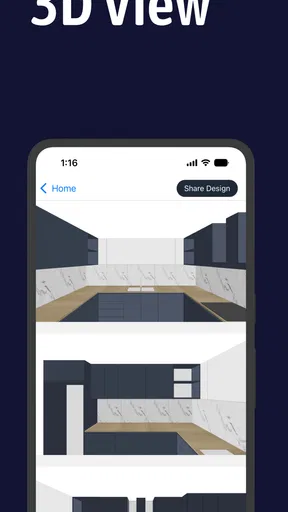
The app is packed with features that make designing your kitchen a fun and interactive experience. One of my favorites is the 3D visualization. You can literally walk through your kitchen before it’s even built! Rotating, zooming, and exploring every nook and cranny is not only helpful but also incredibly satisfying.
Another standout feature is the extensive catalog of appliances and furnishings. From rustic wooden cabinets to sleek stainless steel ovens, the app offers a plethora of options to suit any style. You can mix and match elements to see what works best, which is perfect for those of us who might be a tad indecisive.
Design and Customization
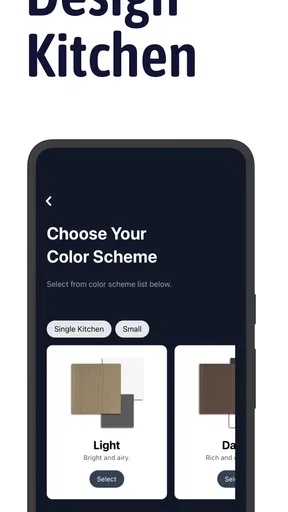
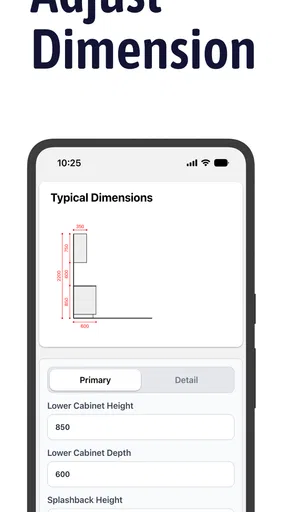
Customization is where this app truly shines. You can adjust everything from the size and color of your cabinets to the type and finish of your countertops. Want to see how a marble island would look with those cherry wood cabinets? Just drag, drop, and voila!
Lighting is another cool feature. You can experiment with different lighting setups, which is crucial for setting the right mood in your kitchen. Whether you’re going for a cozy dim-lit vibe or a bright, modern look, the app has got you covered.
Worth Reading Before You Choose

EA SPORTS FC Mobile 26 Is a Bigger Football Game, but It Takes Time

Flipboard Shows What News Apps Must Do Beyond the Feed

Switching to Android Auto Means Rethinking Your Driving Routine

Google Calendar Makes a Crowded Week Easier to Manage

Ludo King Makes the Most of the Minutes Between Plans

Baby Panda World Brings Quick Play to Modern Phones, but Its Game Library Feels Busy
User Experience
The app runs smoothly without any noticeable lags, which is impressive given the complexity of the 3D rendering. I was genuinely impressed by how responsive it was, even when handling intricate designs. Plus, the ability to save multiple projects means you can play around with different ideas without losing your progress.
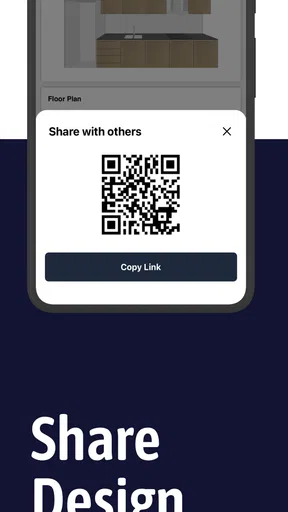
What’s more, the app includes a handy sharing feature. You can easily send your designs to friends or family for their input, or even share them with your contractor to ensure everyone’s on the same page.
Room for Improvement?
While the Kitchen Design App is pretty fantastic, there are a couple of areas where it could improve. For instance, the initial learning curve might be a bit steep for those new to design apps. A more comprehensive tutorial section could help newcomers get up to speed quicker.
Additionally, while the catalog is extensive, it could benefit from more frequent updates to include the latest trends in kitchen design. That said, these are minor niggles in an otherwise stellar app.
Final Thoughts
In conclusion, the Kitchen Design App is a must-have for anyone looking to redesign their kitchen or simply explore new ideas. It’s user-friendly, packed with features, and makes the often daunting task of kitchen design not only manageable but enjoyable. Whether you’re a seasoned designer or a novice just getting started, this app is definitely worth checking out.
So, if you’re ready to turn your kitchen dreams into reality, why not give it a try? Who knows, you might just discover your inner designer!
Pros
- User-friendly interface for easy navigation.
- Extensive library of kitchen templates.
- High-quality 3D rendering for realistic views.
- Customizable color and material options.
- Offline mode available for on-the-go design.
Cons
- Limited free features in basic version.
- Occasional lag on older devices.
- Requires large storage space.
- No export to CAD software directly.
- Frequent ads in free version.
FAQs for Kitchen Design App
What features does the Kitchen Design App offer?
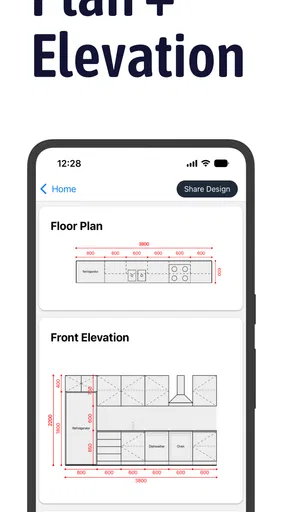
The Kitchen Design App offers a wide range of features including 3D modeling, customizable templates, and a vast library of kitchen appliances and furniture. Users can experiment with layouts, colors, and styles, allowing them to visualize their dream kitchen. Additionally, the app provides measurement tools to ensure accuracy in design.
Is the Kitchen Design App user-friendly for beginners?
Yes, the Kitchen Design App is designed with an intuitive interface that caters to both beginners and experienced designers. It includes step-by-step guides, tutorials, and a user-friendly drag-and-drop system. Even if you have no prior experience in kitchen design, the app makes it easy to create professional-looking layouts.
Does the Kitchen Design App support collaboration with others?
Absolutely, the Kitchen Design App supports collaboration by allowing users to share their designs with others. You can invite friends, family, or professionals to view your designs and provide feedback. This feature is particularly useful for getting consensus on design choices or collaborating with an interior designer.
Are there in-app purchases or subscriptions required?
The Kitchen Design App offers a free version with basic features, but for access to premium templates, advanced tools, and exclusive design elements, a subscription is required. The subscription model is flexible, offering monthly or annual plans, ensuring users only pay for what they need.
Can I use the Kitchen Design App offline?
Yes, the Kitchen Design App allows users to work offline once the necessary resources are downloaded. However, an internet connection is required to initially download the app, access cloud-based storage, and update features. Working offline ensures you can design anytime, anywhere without interruptions.


